
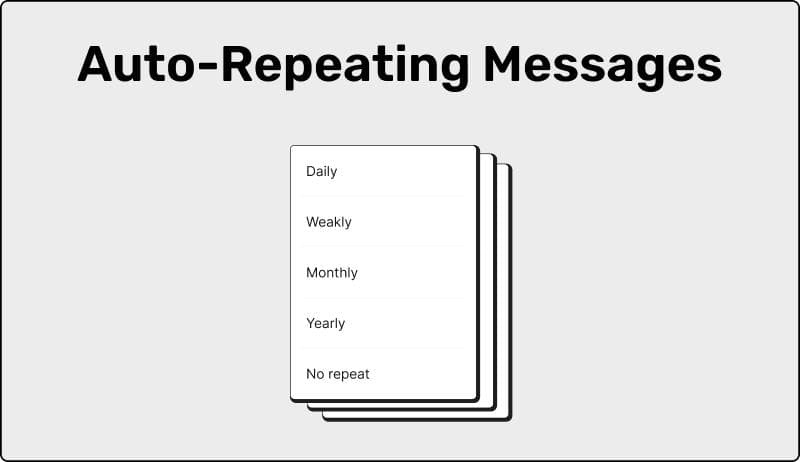
Auto-Repeating Messages lets you resend the same WhatsApp message on a schedule—daily, weekly, monthly, or on selected days.
- Set the repeat pattern once
- Edit, pause, or stop anytime
- Best for recurring reminders and follow-ups
Note: Delivery runs through your linked WhatsApp connection.
What This Feature Does Repeat the same WhatsApp message on a schedule
Auto-Repeating Messages helps you send the same WhatsApp message again on a schedule—without copying, pasting, or remembering. You write it once, pick the repeat pattern, and SendOnTime keeps it consistent.
It’s built for recurring messages where timing matters: reminders, follow-ups, weekly updates, and routine check-ins.
- Repeat daily, weekly, monthly, or on selected days
- Change the schedule or the message anytime
- Sends from your own WhatsApp account (not a third-party number)
What You Can Automate What types of recurring WhatsApp messages you can set to repeat automatically
This feature works best when the message stays mostly the same, but you want it to go out on a reliable rhythm. Set the repeat pattern once, and the same message repeats automatically.
Repeat patterns you can set
- Daily repeats (same time each day)
- Weekly repeats (choose specific weekdays)
- Monthly repeats (monthly rhythm)
- Selected days (only the days you choose)
- Start date (when repeats begin)
Common message types to repeat
- Follow-ups on a fixed cadence
- Reminders (appointments, deadlines, renewals)
- Weekly updates to a client, team, or group
- Recurring announcements you don’t want to retype
- Routine check-ins every X days
If the content changes every time, use normal scheduling. Auto-Repeating is for repeatable messages where consistency beats improvisation.
How It Works How to set a WhatsApp message to repeat automatically in SendOnTime
- Connect your WhatsApp once. Link your account using the method shown in your dashboard.
- Write your message and choose the recipient. Pick a chat (contact or group) just like you normally would.
- Turn on Auto-Repeating. Choose how it repeats: daily, weekly, monthly, or selected days.
- Set the time and start date. Optionally add a stop date if you want it to end automatically.
- Save. The message repeats on schedule until you pause or stop it.
You can review upcoming repeats, make edits, or pause the schedule at any time.
Reliability & Requirements What needs to be true for repeating WhatsApp messages to send reliably
Auto-Repeating Messages is designed to run without you watching the clock. Once your schedule is saved, the system follows your timing automatically.
💡 Important: For reliable sending, keep your WhatsApp connection linked and active. If it disconnects, sends may wait until the connection is active again.
- Full control: pause, edit, reschedule, or stop whenever you want.
- Predictable behavior: you can see what’s coming next in your dashboard.
- No guesswork: you decide the cadence and you can end it anytime.
Use Cases Practical examples of repeating WhatsApp messages for reminders and follow-ups
Auto-Repeating Messages shines when you need consistency—without rewriting the same message every time. Here are high-signal ways people use it.
-
Client follow-ups that don’t slip
Send a gentle check-in on a steady cadence until you get a reply—then pause it instantly. -
Appointment and deadline reminders
Keep reminders consistent without relying on manual sending. -
Payment and invoice nudges (polite, predictable)
Send a friendly reminder weekly until it’s resolved—without awkward “I forgot” moments. -
Weekly updates to a group
Post a recurring announcement or schedule update to a team or community group. -
Recurring requests you always repeat
Things like “please confirm,” “share the link,” or “quick check-in” on a fixed pattern. -
Personal routines and self-reminders
A message to yourself on a rhythm—habits, check-ins, or don’t-forget notes.
💡 Tip: Start with a calmer cadence (weekly beats daily for most follow-ups). As soon as you get what you need, pause or stop the repeat—so it stays helpful, not annoying.
FAQ Frequently asked questions about repeating WhatsApp messages automatically
Can I repeat a WhatsApp message daily, weekly, or monthly?
Yes. You can repeat daily, weekly, monthly, or only on selected days.
Can I set a stop date so the repeating message ends automatically?
Yes. Add a stop date if you want the repeats to end automatically, or stop it manually anytime.
Can I pause a repeating message without deleting it?
Yes. You can pause it and resume later without rebuilding the schedule.
Can I edit the message after it’s scheduled?
Yes. You can edit the message text, time, or repeat pattern. Changes apply to future repeats.
Does it send from my own WhatsApp number?
Yes. Messages are sent through your linked WhatsApp account, not from a third-party number.
Do I need to be online when the message repeats?
No. You don’t need to be online at send time. Reliable delivery depends on your linked WhatsApp connection staying active.
Will recipients see it as an “automated” message?
It arrives like a normal WhatsApp message from you. You’re just not manually sending it each time.